One-time download · No subscription · $12.99
Your entire wedding in one private planner.
No app. No spreadsheet. No account.
Start with our free wedding tools, or get the complete planner.
Wedding planning is a project. Not everyone treats it that way.
Venue, vendors, guests, budget, and a full day-of timeline — all connected, all tracked across 12 months of coordination. Most planning tools give you a website builder and a gift registry. BrowserPlanner gives you the actual coordination layer.
What's inside
Everything you need
to plan your wedding
Budget & Vendor Tracker
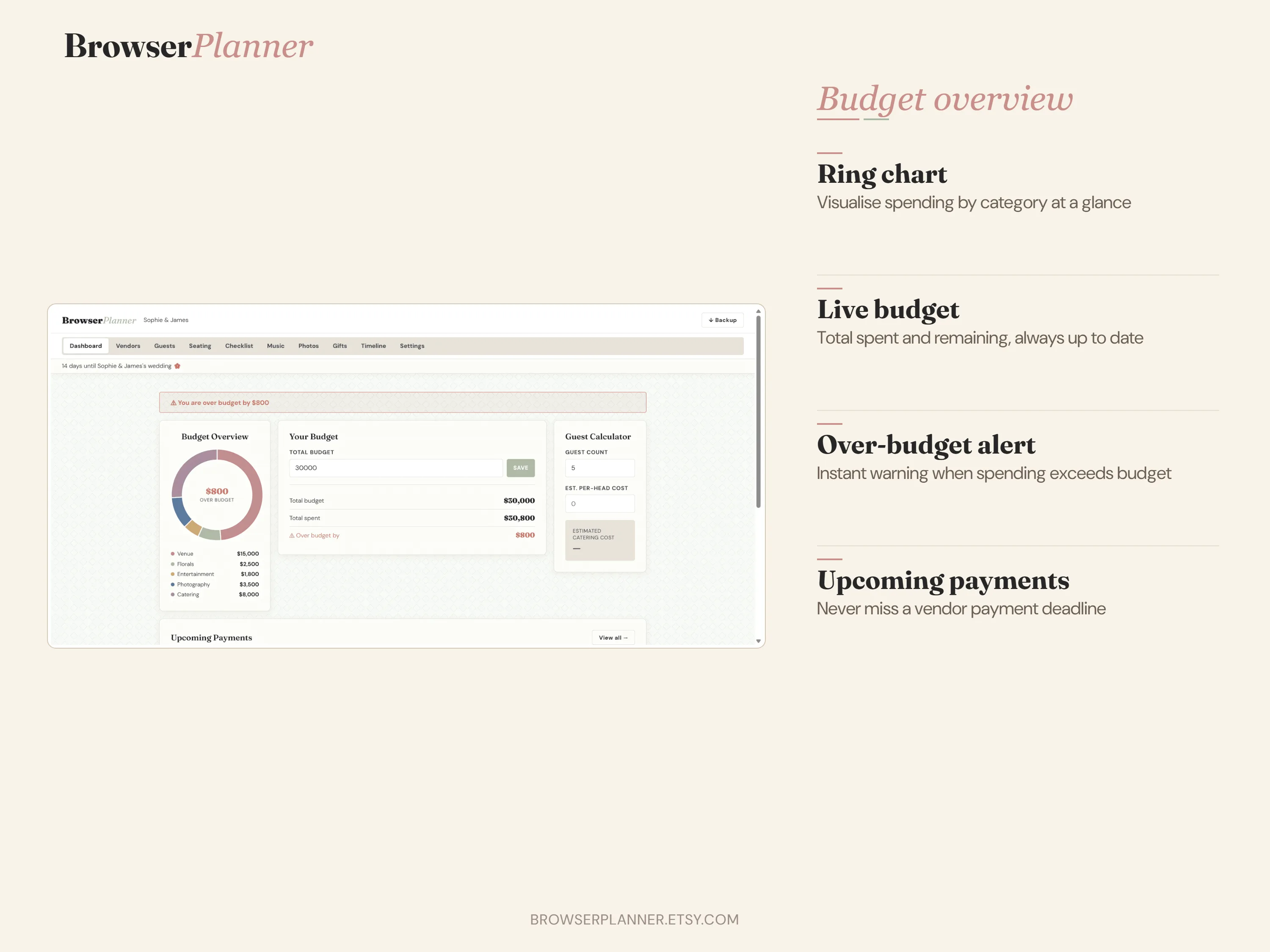
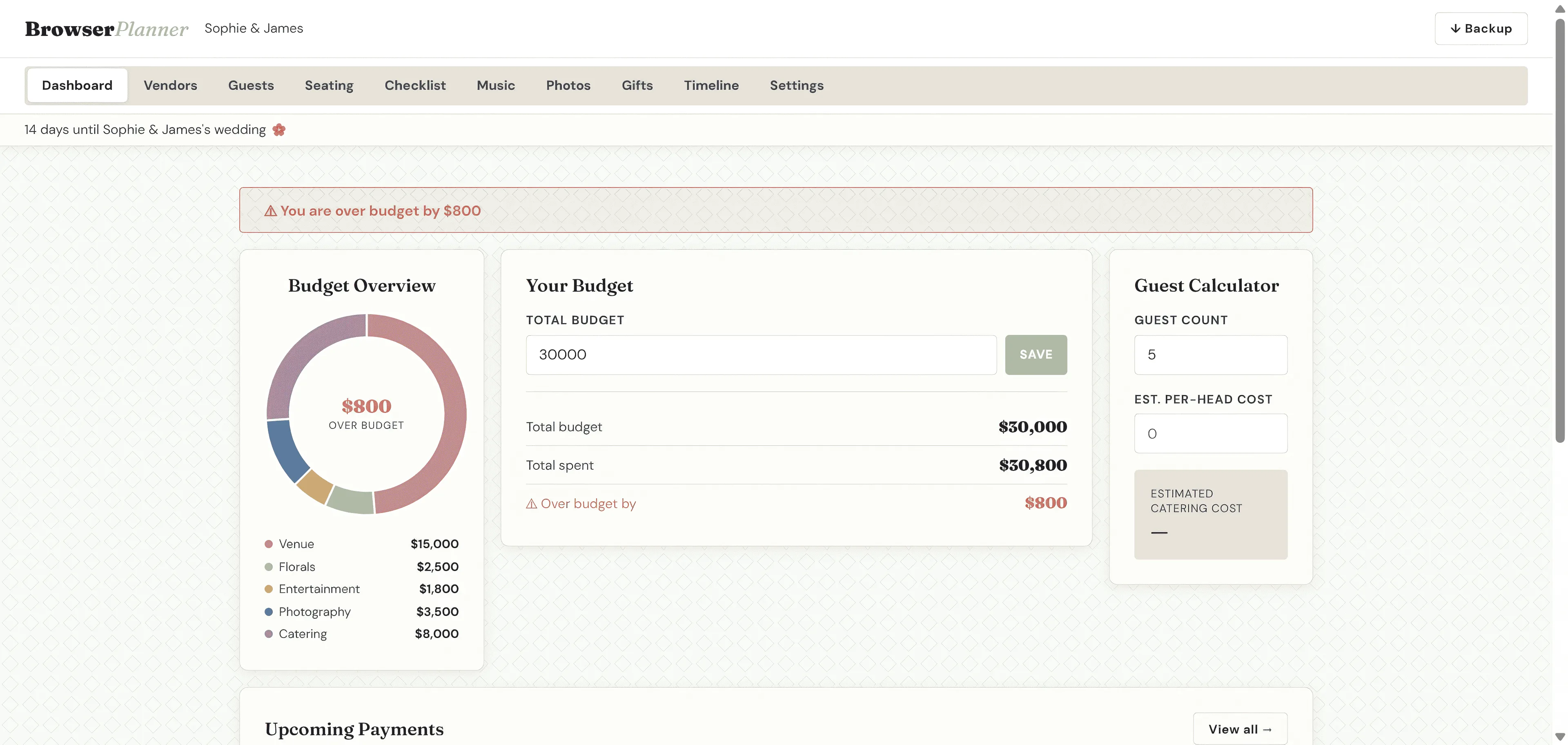
Set your total budget, track every vendor payment, and see at a glance what's paid, what's pending, and what's due. Budget ring chart included.
Guest List & Seating
Manage RSVPs, plus-ones (adults and children separately), dietary notes, and group-based seating assignment. Filter by group. Scales from 30 to 300 guests.
10 tabs of planning tools
Pre-built 50-item checklist, day-of timeline with 22 entries, music planner, photo shot list, gift tracker, PDF export, and a 3-layer backup system.
Free Tools to Start Planning Today
No account needed. Works in any browser. Saves locally.
Wedding Budget Spreadsheet
Track every cost, compare estimates vs actuals, and see your total at a glance.
Open Tool →Wedding Day Timeline
Build your ceremony-to-last-dance schedule by choosing your start time.
Open Tool →Wedding Timeline Template
Plan every month from engagement to wedding day with an editable timeline.
Open Tool →One-time download · No subscription
The Complete Wedding Planning Control Center
Everything connected — budget, vendors, guests, seating, checklist, music, photos, gifts, and timeline — in one private browser-based app.
Why $12.99 once — not $10/month forever?
Because your data isn't our product. We can't sell it, analyse it, or use it to serve you ads — because we never see it. Your entire wedding plan lives on your device. We get paid once, and then we're done. That's the whole model.
No iPad. No spreadsheet.
No subscription. No account.
BrowserPlanner works in Chrome, Safari, Firefox, and Edge — on Windows, Mac, iPhone, and Android. Download the file once. Open it in your browser. Your data saves automatically and never leaves your device.
Get BrowserPlanner on Etsy — $12.99Works on every device and browser you already own
Common questions
What exactly do I get after purchase? +
A ZIP file containing four items: the planner (index.html), a getting-started guide, a terms of use file, and a README. Unzip it, open index.html in any browser, and you're ready to plan. No installation, no account, no internet connection required after that.
Does it work on my Windows laptop? My iPhone? My Mac? +
Yes. BrowserPlanner works in any modern browser — Chrome, Safari, Firefox, and Edge — on any device, including iPhone and Android. The layout adapts to your screen size automatically.
Is my data private? Where is it stored? +
Completely private. BrowserPlanner stores all your data inside your browser using IndexedDB — it never touches a server and is never uploaded anywhere. You can export a full backup file at any time and restore it on any device.
Can I get updates or new planner products later? +
Yes. Register at BrowserPlanner.com/updates to receive notifications when we release new features or new planner products. Your existing purchase never expires — the file keeps working indefinitely.
Still have a question? Email us at help@browserplanner.com